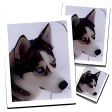
Enlarge photos without losing quality
Reducing a picture is quite easy, but what if you want to make it larger? You'll probably end up with a mixture of colored pixels that hardly resemble the original image.
Fortunately you can now use SmillaEnlarger, a very simple tool that enlarges images while keeping quality loss at a minimum. How does it manage to do that? Easy: by apply a quick resizing algorithm – created by the developer - that smoothes and de-noises the original image.
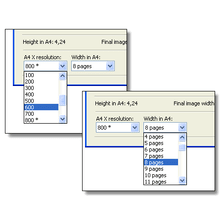
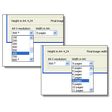
SmillaEnlarger features a simple interface, though it can be a bit confusing to use. There are two preview windows, one with the complete image and the other one with the area currently under the zoom grid. You only have to resize this grid by dragging it with the mouse to make the image larger. Use the 'Preview' button to check the results, and the 'Calculate' button to save the image in the selected directory.
The only thing you should bear in mind is that the first result you obtain may not be the best one – that is, it may look too artificial, almost like an oil painting. My advice is to fiddle with all the available sliders (sharpness, flatness, presharpen, dithering and de-noise) and try different combinations until you find the perfect mixture of size and quality.
With SmillaEnlarger you can enlarge images without losing too much quality, and obtain a pretty decent big sized picture instead of a bunch of blurry pixels.


















User reviews about SmillaEnlarger
by Anonymous
AMAZING!!!.
This program is incredible! I love its ability to easily enlarge images quickly!
Pros: The excellent quality of enlarged images
Performs well and completes tasks quickly! More
by Anonymous
How to clear the window (dog-example) for own pictures? .
I´m just starting SmillaEnlarger and
the first problem arose. How can I
>delete the dog-example to put my own pic into the window given. For-
give this question. I´m a beginner and a German aswell
More
by Margaret Jenkins
absolutely brilliant on my mac.
i have been looking for a enlarger, as i have got a mac, it is sometimes a problem to find a program that is suitable for a mac, however this program is suitable for all and the best of all it is free, and it is so easy to use More
by Anonymous
Just Downloaded Yesterday.
I've been using inadequate camera equipment to document local wildlife. Many pictures of bugs and birds, where the subject is a pretty small element overall.I've been playing with smilla today, experimenting with settings and results, and it is a whole lot of fun, and I really like the results. Of course it's not the same as a picture taken with a monster telephoto lens, but for what it is, it's good.
Pros:
Easy to understand for beginners, good results, fun to play with.
Cons:
Limited tools for picture manipulation. More
by Anonymous
Very good for free.
I sometimes wonder what people expect for free. It enlarges pictures without pixelation. Obviously it can't add information that isn't, and can't be, in the original so the greater the enlargement you specify the more posterised the result. I have used it for a year or two and think it is extremely useful.No, it doesn't 'install' on a PC. You just download it to where you want to run it from, create a short cut to it where you find most convenient. If you no longer want it, just delete the folder with contents!
Pros:
Free, and it works.
Cons:
Don't know of any. More
by Anonymous
Not bad, but not great.
In answer to the above review. You cant see it in your add/remove programs because it was never installed! Its just a folder with the exe file in it. If you don't want it just delete the folder. That said the program is simple to use but the reults are not that good. All it seems to do is smooth out the pixelation so the enlarged picture has smooth blocks of colour. More